The Flat Cut and the Headset Cut: Trailering 360° Work Without Giving the Game Away
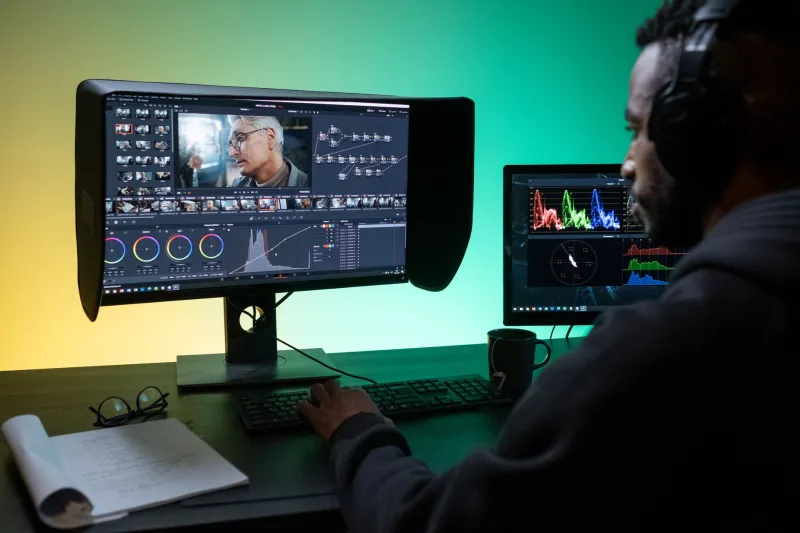
A 360° project often meets its audience in the least spatial place possible: a laptop, a phone, a venue monitor or a festival website. The headset may be the destination, but the trailer is usually the first contact. And that creates a simple production problem. The cut that works on a flat screen is rarely the cut that works inside a headset.
For UK editors, producers and marketing teams, the answer is not to make one trailer try to do two jobs. It is to plan two cuts from the same source: a flat-screen cut and a headset-safe teaser. They can share footage, grade, music and title design. They should not share a timeline.
One source, two contracts
A trailer makes a promise. The flat cut promises a story, a place or a person worth spending time with. The headset cut promises agency: you will be able to look, lean and choose where to spend your attention. Those are different promises, and they need different pacing.
The flat cut can reframe. It can crop into the equirectangular master, use close-ups that do not exist in the headset version, and lean on conventional editing grammar. The headset cut has to respect the viewer's field of view. It cannot rely on a cut to force attention. It has to guide without grabbing.
Brief both at the same time. If the headset teaser is treated as an afterthought once the flat trailer is locked, it will usually inherit motion, captions and text placement that were never designed for a 360° or 180° viewer.
The first twenty seconds are a different job
On a flat screen, the opening twenty seconds need a human stake and a clear sense of place. A slow, drifting panorama may look lovely in the edit suite and dull on a phone. Use the strongest reframe, the clearest voice or the most specific detail early. Captions should appear before anyone has to guess what they are watching.
In a headset, the opening twenty seconds need a stable horizon. Start at eye level. Let the viewer settle before asking them to move. Avoid opening with a whip pan, a steep tilt or a camera move that fights the viewer's own head movement. The first look should feel like arriving somewhere, not being pushed through it.
Both cuts benefit from a simple test: watch the flat cut on a phone with the sound off, then watch the headset cut in an actual headset with the sound on. If the flat cut only works because you already know the project, it is not doing its job. If the headset cut makes you want to take the headset off in the first thirty seconds, it is not doing its job either.
Framing, motion and the queasy factor
Motion sickness is not a niche concern. It is a distribution issue. UK festivals and galleries showing immersive work increasingly ask for viewing notes, and a trailer that makes people feel unwell is a poor advert for the full piece.
For the headset cut, favour gentle dolly moves, locked-off shots and slow reveals. Keep the camera at a natural height. Avoid roll, rapid acceleration and cuts that land while the viewer is still turning their head. Longer shots are your friend. If the source is 180°, use the narrower field of view to your advantage: it is easier to compose and easier to watch.
For the flat cut, you can be bolder. Reframe, punch in, add motion graphics and cut on the beat. But do not pretend the flat cut is the immersive experience. A good flat trailer can say: this was shot in 360° or 180°, and here is why that matters. It does not need to simulate the headset.
Captions, text and the safe zone
On a flat screen, captions are usually a straightforward accessibility choice. In a headset, they are a spatial design decision. Text placed near the edges of an equirectangular frame may be distorted, hard to read or outside the viewer's comfortable field of view.
Make two caption passes. The flat cut can use standard subtitles and lower-third titles. The headset cut needs captions placed within a central safe zone, tested in the headset at the intended viewing distance. Avoid small type. Avoid text that requires the viewer to turn their head to read it. If the project has dialogue, give the headset cut a caption track that is easy to toggle.
This is also where UK access planning pays off. Festivals and venues may ask for open captions, audio description or a transcript. A trailer is part of that access chain. If the marketing team grabs the headset master and posts it flat, the captions may be unreadable and the framing may look wrong. Label the deliverables clearly.
Briefing the village
A 360° trailer often passes through more hands than a conventional one: editor, director, producer, distributor, festival marketing, gallery front-of-house and social media. The briefing should be explicit.
Ask for two deliverables from the start: a flat-screen cut and a headset-safe teaser. Specify aspect ratios, codecs, caption files and viewing notes. Say which master is for social and which is for headset demonstration. If a distributor wants a vertical cut, make that a third deliverable rather than cropping the headset teaser after the fact.
For 2026 festival and gallery programmes, it also helps to supply a short viewing note: runtime, format, recommended seating or standing position, and whether the piece is 180° or 360°. That note can travel with the trailer and prevent the wrong file ending up on the wrong screen.
A practical checklist
For the headset-safe teaser:
- Keep it short: 40 to 60 seconds is often enough.
- Start at eye level with a stable horizon.
- Use slow moves, locked-off shots and longer cuts.
- Avoid roll, rapid acceleration and whip pans.
- Place captions and titles in a central safe zone.
- Test in the headset, not just on a monitor.
- Include spatial audio if the full piece relies on it.
For the flat-screen cut:
- Lead with story, place or a human detail.
- Use reframes and close-ups that do not exist in the headset version.
- Put captions on early and keep them legible on a phone.
- Make the format clear without turning the trailer into a technical demo.
- Supply 16:9, 1:1 and 9:16 versions if social is part of the plan.
For both:
- Cut from the same source, grade and sound design.
- Label files clearly: flat cut, headset teaser, captions, viewing notes.
- Get sign-off from someone who has watched each cut on its intended screen.
A trailer cannot be a window into the headset experience. It can be an invitation to it. Two cuts, briefed together and tested properly, give UK audiences a way in without spoiling the moment they finally put the headset on.