The First Ten Minutes Are a Web Page: Auditing Access Before the UK Immersive Venue
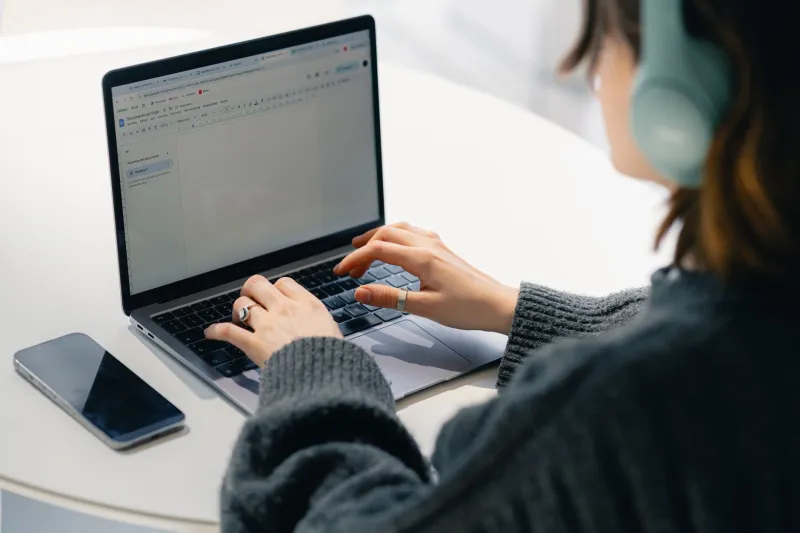
Most conversations about immersive accessibility start at the venue door. Someone meets you, hands over a headset, checks the straps. But for plenty of people, the experience begins much earlier: on a web page, in a booking flow, in a PDF that will not zoom. If that first ten minutes does not work, the headset might as well be in another city.
This is an audit for UK immersive creatives and venues who want to find that friction before it becomes a no. It is not a compliance badge. It is a way of walking the digital run-up to a 360° film, a virtual production demo or a gallery installation, and asking where the experience quietly excludes people.
At 3D60 we cover the spatial stuff — the cameras, the stages, the sound. But the front door matters just as much. Here is how to check yours.
Start with the journey, not the homepage
A website is not a poster. It is a series of tasks. Someone has to discover the work, decide whether it is for them, book a slot, prepare for the visit and find the entrance. Accessibility failures hide in the transitions between those tasks.
So audit the journey as a journey. Ask a group of people — including screen reader users, people with low vision, people with motor impairments, people who are Deaf or hard of hearing, people who experience motion sickness — to complete real tasks. Not 'can you see the homepage?' but 'can you book a ticket for Saturday and find out whether the show will make you dizzy?'
In the UK, public sector bodies have specific duties under the Public Sector Bodies Accessibility Regulations 2018, and the Equality Act 2010 asks service providers to make reasonable adjustments. But this is not just a legal box. A booking flow that only works with a mouse is a booking flow that loses customers.
The booking flow is part of the artwork
If your only contact route is a contact form, you have designed a maze. Plenty of people need to ask a question before they spend money: can I bring a companion? Is there a free personal assistant ticket? Can I change my slot if my sensory needs shift on the day? Is there a seated version? Can I leave halfway through and come back?
Put a phone number and an email address in the booking confirmation, not just in the footer. Check that your ticketing platform — Spektrix, Ticketsolve, Eventbrite, whatever you use — works with keyboard navigation and a screen reader. Test the time-out. Test the payment step. Test what happens when someone abandons a basket and comes back.
Then look at the language. 'Relaxed performance' is useful only if you explain what it means. 'Sensory-friendly' is vague. Say what will actually happen: lights, sound, queues, headset weight, whether people can sit or stand, whether there is a quiet space. That is not over-explaining. That is useful copy.
Warnings that actually warn
Content warnings are often buried in an FAQ or a PDF two clicks from the booking button. For immersive work, they need to be in the flow, before payment. Flashing lights. Strobe. Rapid camera movement. Simulated height. Enclosed spaces. Loud sudden sound. Haptics. Strong language. Anything that might affect someone with epilepsy, vestibular conditions, anxiety or claustrophobia.
Be specific and plain. 'This piece contains periods of flickering light and a sequence that simulates falling' is better than 'contains intense sequences'. Then offer an alternative where you can: a seated version, a lower-intensity session, a 2D trailer, a written scene-by-scene guide. Not every show can be adapted for every person, but the website should tell the truth early.
Captions, transcripts and the 360 problem
Captions in 360° video are not a straight copy-paste from a flat edit. Where do they sit? Do they follow the head? Are they fixed in the frame? Do they obscure the thing people are meant to look at? These are design questions, not afterthoughts.
At the very least, caption your trailers and promotional videos. Provide a transcript for any spoken-word web content. If the main piece has captions but they are only available on a specific device, say so. If the piece has no captions, say that too. Do not use a blanket 'accessible' label on the website and let people find out the truth at the door.
For UK audiences, BSL interpretation is often part of the offer for live events. If you have a BSL version of a trailer or an interpretative introduction, put it on the page, not in a press release from three months ago.
Device guidance without the jargon
People want to know what they will actually wear, hold or download. Can I use my phone? Which headsets do you have? Do I need to bring anything? Is there an app? How much storage does it take? Will it drain my battery? Can I use my own headphones? Is there a wired option?
A simple table is worth more than a paragraph of specs. Include weight, whether glasses fit, whether there is a seated option, and whether the experience requires standing or moving around. If you run bring-your-own-device sessions, say which phones are supported and what people should do before they arrive.
Bandwidth is part of access. Do not make a 40MB video the only way to find out what the show is. Offer a low-bandwidth page, a phone booking line and a downloadable text guide. In rural parts of the UK, mobile coverage and home broadband still vary wildly. Data poverty is real. A website that assumes fibre and a new handset is a website that assumes a particular audience.
A checklist you can use on Monday
- Walk the journey with a screen reader and a keyboard only. Can you book, pay and find the venue address?
- Put content warnings before payment, in plain English, with alternatives where they exist.
- Caption every trailer. Provide a transcript for spoken-word pages. State clearly what the main piece offers.
- Publish a 'what to expect' page: duration, standing or seated, headset weight, sound levels, interval, exit options.
- List a phone number and an email address in the booking confirmation. Not just a form.
- Test your booking platform with assistive technology. Ask the vendor what they have tested and when.
- Offer a low-bandwidth route to the key information. Text first, video second.
- Check your device guidance: models, apps, storage, battery, headphones, glasses, hygiene.
- Add an access contact who can answer questions before the day, not just a front-of-house inbox.
- Review after each run. Ask three people who did not book what stopped them.
Fix the small things first
Not every venue can rebuild its website this month. Start with the things that cost nothing but attention: a phone number, a plain-text warning, a captioned trailer, a sentence that says what the headset feels like. Those small fixes are not the whole of access, but they are the difference between a digital front door that opens and one that quietly stays shut.
Accessibility for immersive work is not only in the headset. It is in the run-up. Audit that, and you give more people a chance to arrive.